Wi-Fi QR code generator
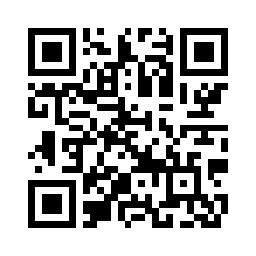
Let guests join your Wi-Fi by pointing their camera at a code instead of typing a long password. Both iPhone and Android cameras recognise Wi-Fi QR codes and offer to connect.
Colours, size and error correction
Your QR code appears here as you type.
Static code: no expiry, no account, no redirect through our servers.Why it never expires
Share your Wi-Fi in three steps
- Enter the network name (SSID) exactly as it appears, including capitals.
- Choose the security type and enter the password, or pick an open network.
- Download the code and print it for your home, office, café or rental.
What is inside a Wi-Fi QR code
The code holds one short line of text in the format phones expect for Wi-Fi: WIFI:T:WPA;S:network name;P:password;;. Backslashes, semicolons, commas, colons and double quotes in the network name or password are escaped with a backslash, so a password such as pa;ss:word still joins correctly instead of being cut off halfway.
Hidden and open networks
If your network does not broadcast its name, tick Hidden network and the code adds H:true, so the phone knows to look for it. For an open network, choose None as the security type and the password field disappears; the code then carries only the network name and tells the phone that no password is needed.
Wi-Fi code security notes
- The code is generated in your browser, so your Wi-Fi password is never sent to us.
- If you change the Wi-Fi password, the old code stops connecting. Make a new one with the new password.
Wi-Fi QR code questions
Which phones can join a network by scanning?
Current iPhones and most Android phones read Wi-Fi QR codes straight from the camera app and offer to join the network. Some older Android phones need Google Lens or a separate scanner app. If a phone only shows the text, the guest can still read the network name and password from it.
Can guests see the Wi-Fi password?
Yes. Anyone who scans the code can find the password, because Wi-Fi codes store it as plain text, whichever generator made them. For visitors, a separate guest network that you can change without touching your own devices is the safer choice.