Email QR code generator
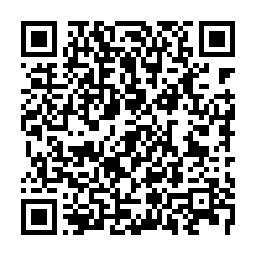
A scan opens the phone’s email app with a new message ready to send: the recipient, subject and body are filled in, so people only have to tap send. Useful for feedback, support or sign-up requests.
Colours, size and error correction
Your QR code appears here as you type.
Static code: no expiry, no account, no redirect through our servers.Why it never expires
Set up an email QR code
- Enter the email address the message should go to.
- Optionally add a subject and a pre-written message.
- Download the code and add it to flyers, packaging or posters.
How the email link is built
The code stores a mailto: link with the address, followed by the subject and message if you add them. Spaces, accents and symbols in the subject and message are percent-encoded, so a subject such as Feedback & ideas arrives intact instead of breaking the link at the ampersand.
When no email app is set up
A mailto: link needs an email app on the phone. If the person scanning has none set up, the phone may ask them to pick or add one, or simply show the address. Printing the email address in plain text next to the code gives them a fallback they can copy.
Email code tips
- Nothing is sent automatically. The person scanning always reviews the email before sending it.
- A short subject like “Feedback – Table 4” makes incoming emails easy to sort.
Email QR code questions
Can I add CC or several recipients?
Not in this generator. It fills in one recipient, a subject and a message, which covers feedback, support and sign-up requests. If several people need the email, use a shared address or a mailing list as the single recipient.
Does scanning send the email for me?
No. Scanning only opens a draft in the email app. The person scanning sees the recipient, subject and message, can change any of them, and has to tap send themselves, so nobody sends an email by accident.